
CS-V SUPPORT
How can we help?
Latest: CS-V 2.30.7. Check yours in the ☰ menu, under ABOUT.
01 · FIRST SESSION
From a dry track to a finished move.
Put CS-V on the track you want to bend. Everything below happens in the plugin; your DAW only needs to play.
01Record the take
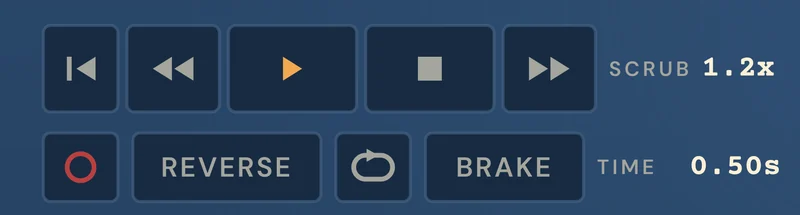
Press REC (it blinks), play the section in your DAW, stop. The clip is printed and pinned to that spot. Want it on the grid? Set LEARN LEN in SETUP to a bar length first.
02Bend the speed
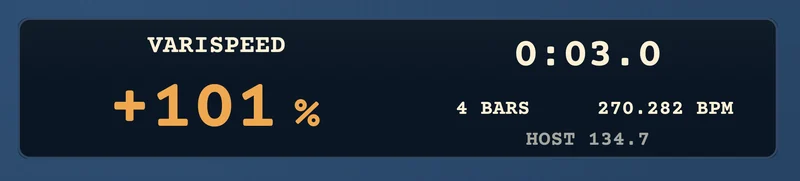
Drag the amber number up or down, or turn SPEED. −50% is half speed, +100% is double. Double-click the number to type one in.

03Draw the move
Open MOTION, light the lamp next to SPEED and draw the curve across the clip. MOVES drops in a built-in curve; SAVE keeps yours for every song.
04Choose the tape
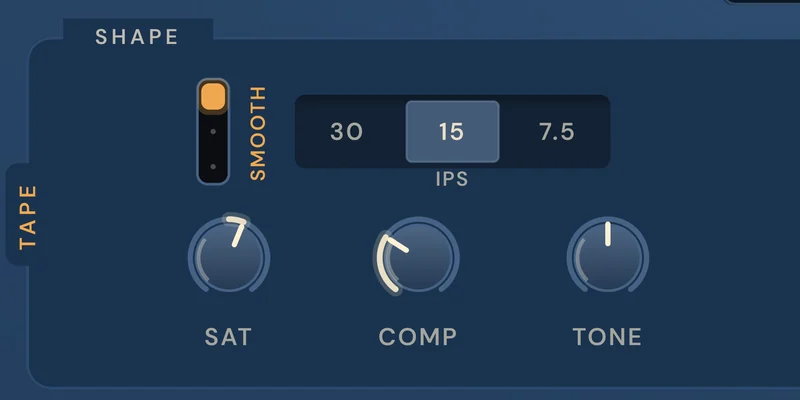
Pick a speed: 30 is cleanest, 15 the classic middle, 7.5 the warmest. SAT adds drive, COMP evens the level, TONE sets the top end.
05Age it, if you like
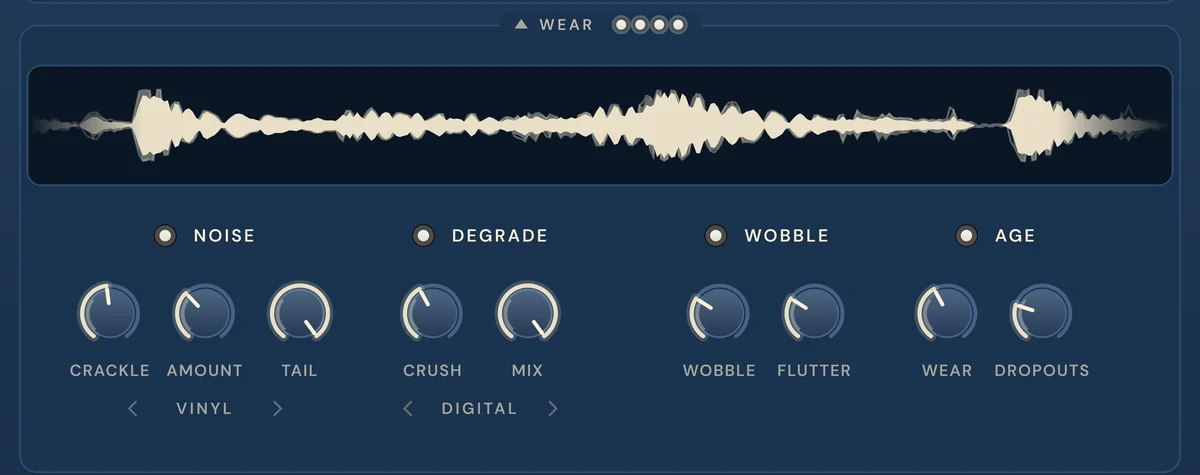
Unfold WEAR for noise, wobble, a bitcrush and the worn-record AGE.

06Export
Click EXPORT to save a WAV of exactly what you hear, or drag EXPORT straight onto a track. It never overwrites.
Prefer a guided tour? Open the ☰ menu in CS-V and choose Take the tour. The ? button turns the hover hints on and off.
02 · THE FACE, MAPPED
Every part, explained.

01
Power
Off bypasses CS-V and the track plays untouched. Same as your DAW’s bypass.
03 · IN YOUR DAW
Find it, rescan it, feed it a sidechain.
FIND IT
Audio FX slot → Audio Units → CoolSweat → CS-V.
NOT LISTED
Logic Pro → Settings → Plug-in Manager, select CS-V, Reset & Rescan Selection.
SIDECHAIN
In the top bar of the CS-V window, pick the source track from the Side Chain menu. Then open SIDECHAIN in CS-V and choose SPEED, PITCH or FILTER.
FIND IT
Browser → Plug-Ins → VST3 (or AU on Mac) → CoolSweat → CS-V.
NOT LISTED
Settings → Plug-Ins: turn on Use VST3 Plug-In System Folders, then Rescan.
SIDECHAIN
In Live’s Device View for CS-V, pick the source track from the Sidechain menu. Then open SIDECHAIN in CS-V and choose SPEED, PITCH or FILTER.
FIND IT
Insert slot → plug-in → Pitch Shift → CS-V.
NOT LISTED
The AAX version installs separately from AU and VST3. In the Center, use INSTALL FOR PRO TOOLS under the CS-V card, then restart Pro Tools.
SIDECHAIN
On the source track, set a Send to any bus (say Bus 1). In the top bar of the CS-V window, open Key Input (it reads no key input) and pick that bus. Then open SIDECHAIN in CS-V and choose SPEED, PITCH or FILTER. Hitting too hard? Lower the send.
You can also record the sidechain: set REC FROM to SIDECHAIN, press REC, and CS-V learns the other track instead of its own.
04 · QUICK FIXES
Common problems, short answers.
CS-V isn’t in my plug-in list.
Rescan. The steps for your DAW are just above. Still not there? Restart your computer, then reinstall from the CoolSweat Center.
Activation says my key is wrong.
Use the key and the same email from your Gumroad receipt. A licence covers three computers; you only need to be online once.
I hear a burst of noise every 40 seconds.
That’s the demo. Activate the full version and it stops, EXPORT switches on and CS-V saves with your project.
The track plays dry.
Check the power button top left is lit, and that MIX isn’t at 0%. If the lamp next to SPEED in MOTION is dark, the drawn curve isn’t driving anything.
Where did my export go?
The ☰ menu shows the folder under EXPORT, with Show folder in Finder (Explorer on Windows).
How do I update?
The CoolSweat Center shows UPDATE when a new version is out, and the CS-V menu gets a small amber dot. One click.
Nothing here matches. Email us and we’ll sort it.
FEEDBACK AND HELP
Email a person.
We want your feedback. Bugs, ideas, anything you’d change. We’re a small team, so we might not reply straight away, but every email gets an answer.
Write to support@coolsweat.io. Three things get you a faster answer:
- Your CS-V version (☰ menu, ABOUT)
- Your DAW and its version
- Your macOS or Windows version
Press, collabs and anything else: info@coolsweat.io.